Zoho One Cluster Page 6 of 8 | Customization & Automation

Zoho One Customization & Automation Services for Tailored Workflows

Make Zoho One fit the way your business works. NuageCX helps businesses extend standard Zoho functionality, automate repetitive processes, build custom workflows, and connect business-specific requirements across the Zoho ecosystem.

Zoho Premium
Partner
100+
Projects
16+
Industries
8+
Years
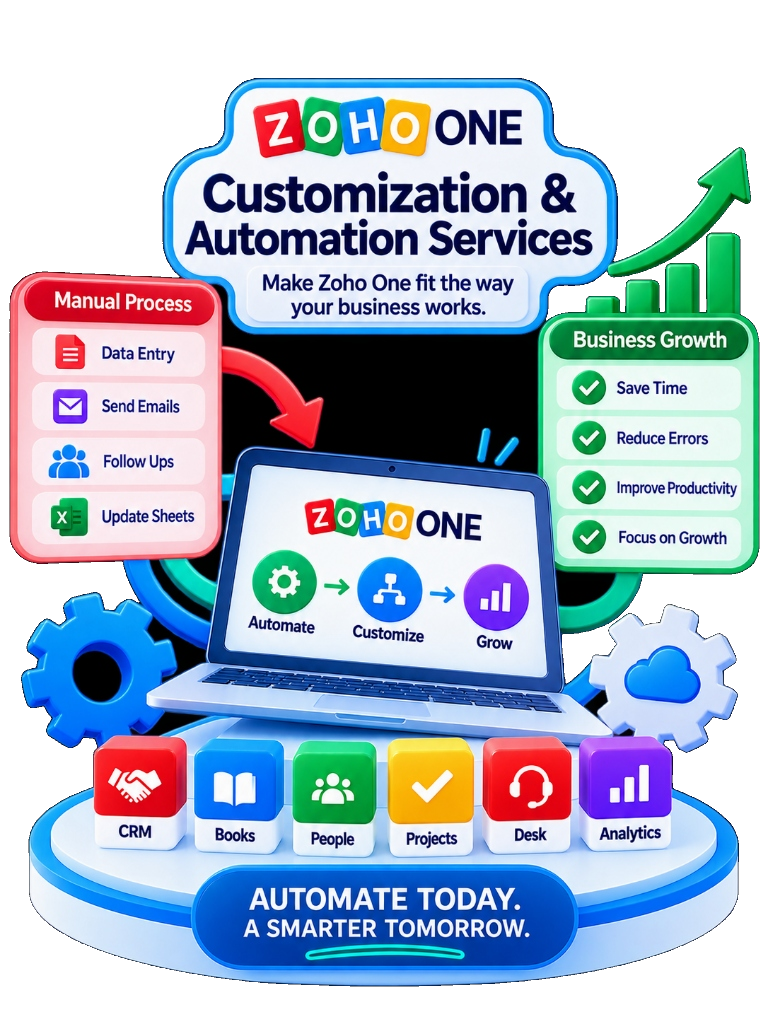
Zoho One Customization & Automation Services - Manual Process to Business Growth, Automate, Customize, Grow
Definition & Fundamentals

What Is Zoho One Customization?

Zoho One customization is the process of adapting the Zoho environment to business requirements that are not fully addressed through standard configuration.

Custom Fields & Modules

Data structures built to store industry-specific attributes and unique records.

Custom Functions & Deluge

Scripted server-side logic that computes complex rules and updates connected records.

Workflow Rules & Approvals

Multi-tier approval hierarchies and automatic record transitions based on conditions.

Custom Creator Applications

Tailored low-code apps built for operational processes that span beyond standard apps.

KEY MESSAGE

Customization should solve a real business requirement — it should not be added simply because the platform can be customized.

Process Efficiency

What Is Zoho One Automation?

Zoho One automation uses triggers, rules and actions to reduce repetitive manual work across business processes.

Lead Assignment
Follow-up Creation
Approval Routing
Notifications
Task Creation
Status Changes
Record Updates
Escalations
Data Synchronization
Scheduled Processes
Official Zoho Workflow Architecture ReferenceZoho Flow Docs

Zoho Flow uses trigger-and-action workflows to automate information exchange between cloud applications, while Zoho Creator supports workflow actions and Deluge scripting for more customized application logic.

Core Framework

Customization vs Automation: What Is the Difference?

CUSTOMIZATION

Changes how the system behaves or represents business information.

  • Custom modules & fields
  • Page layouts & canvas views
  • Custom Creator low-code apps
  • Unique business logic & rules

AUTOMATION

Reduces manual steps by making the system perform actions automatically.

  • Automatically create tasks & reminders
  • Send email & SMS notifications
  • Assign record owner based on territory
  • Trigger multi-tier approvals
BOTH WORKING TOGETHER:
CUSTOM REQUIREMENTCUSTOM LOGICAUTOMATED ACTIONCONNECTED PROCESS
Strategic Decision

When Should You Customize Zoho One?

CUSTOMIZE WHEN:

  • • Standard functionality does not meet a genuine requirement.
  • • Your business has industry-specific workflows.
  • • You need specialized calculations or business rules.
  • • You require custom forms or internal apps.
  • • A required process involves multiple dependent actions.
  • • You need business logic that standard config cannot handle.

DO NOT CUSTOMIZE WHEN:

  • • A standard feature already solves the requirement.
  • • The requirement exists only because current process is inefficient.
  • • The customization would create unnecessary maintenance.
  • • The business process itself has not been standardized.
Capabilities Breakdown

What Can We Customize and Automate?

Click on any capability card to explore specific technical options.

01 WORKFLOWS

Trigger actions based on defined business conditions.

02 APPROVALS

Route transactions or requests to decision makers.

03 CUSTOM FUNCTIONS

Execute business-specific logic where standard actions fail.

04 CUSTOM MODULES

Create structured data areas for business requirements.

05 CUSTOM APPS

Build specialized low-code apps with Zoho Creator.

06 DELUGE LOGIC

Add custom logic, calculations & validation rules.

07 INTEGRATION ACTIONS

Trigger actions in other Zoho or external systems.

08 DASHBOARDS

Present business-specific data for management decisions.

Zoho describes Deluge as its scripting language for adding logic, automation, data manipulation, business rules and integrations.Deluge Documentation →
Departmental Scope

What Business Processes Can Zoho One Automate?

Sales Automated Workflows

✓ Lead assignment by territory & product
✓ Automated follow-up reminders
✓ Deal-stage automatic task creation
✓ Discount approval routing
Impact Visualization

See the Difference Automation Can Make

1 INSTANT AUTOMATED TRIGGER
New LeadAUTOMATED WORKFLOWCRM RecordOwner AssignedFollow-up CreatedNotification Sent
Real Examples

Examples of Zoho One Custom Automation

EXAMPLE 1: AUTOMATED LEAD ROUTING
Lead Enters CRMCheck GeographyCheck Product InterestAssign SalespersonCreate Follow-up TaskNotify Owner
Low-Code Development

Zoho One Custom Development & Creator

CUSTOM DEVELOPMENT SCOPE

  • • Custom Deluge scripts for complex mathematical logic
  • • Custom Creator applications integrated into Zoho One
  • • REST API webhooks for third-party system sync
  • • Custom forms & data validation rules
Zoho Creator ReferenceCreator Docs

Zoho Creator supports custom logic through Deluge and can be used within Zoho One to build custom applications when standard applications do not fully meet the requirement. Zoho One also provides a path to create Creator custom applications directly from its admin environment.

Interactive Framework

Zoho One Automation vs Customization Decision Tree

Walk through the decision tree to find the right technical path for your requirement.

STEP 1 OF 5

Question 1: Can the standard feature solve it?

Methodology

How We Approach Zoho One Customization

01

UNDERSTAND

What is the business trying to achieve?

02

CHECK STANDARD

Can the requirement already be solved?

03

DEFINE GAP

What exactly is missing?

04

SELECT SOLUTION

Config vs Automation vs Function vs Creator

05

BUILD

Develop the approved custom logic

06

TEST

Validate logic, permissions, data & edge cases

07

DEPLOY

Move approved solution into production

08

OPTIMIZE

Ensure customization solves long-term goal

Vertical Automation

Zoho One Automation by Industry

Manufacturing Automation Blueprints

✓ Lead routing & quotation approvals
✓ Purchase approvals & BOM sync
✓ Production job card status triggers
✓ Finance inventory updates
Verified Case Studies

Real NuageCX Custom Workflow Experience

MEGA ENGINEERING

Digital Procurement & Finance Workflow

Zoho Creator + Zoho Books integration for BOM, Material Requests, Purchase Requests, and Finance connectivity.

View Mega Engineering Case Study →
ENGINEERING SOLUTIONS

Digital Operational Workflow

Zoho Creator + Zoho Books for digital procurement, operational visibility, and finance coordination.

View Engineering Case Study →
NEEVIQ

Resource & Time Log Automation

Zoho Projects + Zoho Books custom functions around task hours, time logs, and automated invoicing.

View NeevIQ Case Study →
Interactive Calculator

How Much Can Business Automation Save?

Estimate your annual manual effort cost and potential automation opportunity.

ESTIMATED ANNUAL MANUAL EFFORT
18,72,000
3,120 total hours / year
POTENTIAL AUTOMATION OPPORTUNITY
12,16,800
Est. 65% reduction in repetitive manual tasks

Results are estimates based on user assumptions and do not guarantee actual savings.

Assessment Tool

Tell Us What You Want to Automate

Select your parameters to receive a recommended technical starting point.

Frequently Asked Questions

Zoho One Customization & Automation Questions

START YOUR CUSTOM WORKFLOW

Have a Business Process Zoho Doesn't Handle Out of the Box?

Do not customize blindly. Let's first determine whether your requirement needs configuration, automation, custom functions, Creator, integration, or a refined process design.

Standard-first evaluation to avoid unnecessary complexity
Certified Zoho Deluge & Creator developers
Documented logic and technical debt mitigation

Discuss My Zoho One Custom Requirement

Tell us what your current process looks like and what you want to automate or customize.

Loading security verification...