Zoho One Cluster Page 4 of 8 | Integration Services

Zoho One Integration Services for Connected Business Systems

Stop moving data manually between Zoho and the systems your business already depends on. NuageCX designs and implements Zoho One integrations around your data flow, business rules, automation and reporting requirements.

Zoho Premium
Partner
100+
Projects
16+
Industries
8+
Years
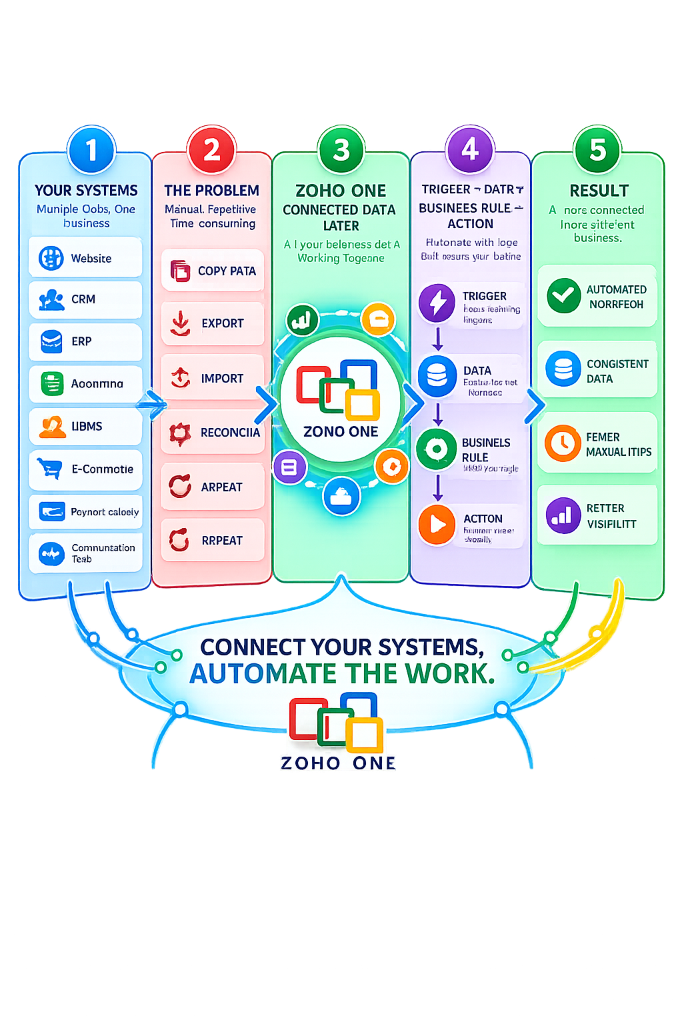
Zoho One Integration Services - Your Systems, The Problem, Zoho One Connected Data Layer, Trigger Action, Result
Definition & Foundations

What Is Zoho One Integration?

Zoho One integration connects Zoho applications or external business systems so that required information can move between them and trigger defined business processes.

Native Integrations

Built-in standard connectors supporting direct data sync across Zoho apps.

Zoho Flow

No-code workflow builder linking cloud software via triggers & actions.

REST APIs & Webhooks

Programmatic data exchange for custom software & external ERP engines.

Custom Sync & Deluge

Tailored scripting handling complex business rules and data transformations.

Verify Official Zoho One Automations & Flow Documentation:Zoho Help Documentation
Business Rationale

Why Do Businesses Integrate Zoho One With Other Systems?

Connecting systems replaces fragmented manual routines with continuous operational velocity.

01

Eliminate Data Entry

Move required information automatically instead of repeatedly copying records between systems.

02

Keep Data Consistent

Define which system owns the information and how updates should be synchronized.

03

Connect Processes

Move information seamlessly from one business stage to the next across departments.

04

Automate Actions

Use an event in one system to trigger immediate actions and updates in another.

05

Improve Visibility

Bring relevant operational data into connected reporting and executive analytics dashboards.

Ecosystem Target Architecture

What Can Zoho One Integrate With?

Explore potential integration targets across Zoho apps, external business systems, and common data objects.

Zoho Applications

CRMBooksPeopleProjectsDeskAnalyticsCreatorFlowRecruitPayroll

External Business Systems

ERP (SAP/Tally)Accounting SystemsHRMSE-commerce (Shopify)Payment PlatformsWebsitesDatabasesWhatsApp & Voice

Common Business Data

CustomerLeadOrderInvoicePaymentEmployeeProjectTimesheetTicketInventory

* Potential integration targets evaluated based on API availability and business rules.

Use Case Playbook

Common Zoho One Integration Scenarios

Examine how data flows between applications to automate daily cross-departmental operations.

Scenario 1: CRM → Finance

Sales Deal to Invoice Flow

DEAL WON → Customer Data
→ Zoho Books → Automated Invoice

Reduces manual transfer between sales teams and accounting staff upon deal closure.

Scenario 2: CRM → Projects

Deal Closure to Project Onboarding

DEAL WON → Project Creation
→ Task Templates → Customer Details

Automates immediate delivery team onboarding after sales contracts are signed.

Scenario 3: Projects → Finance

Billable Hours to Invoicing

Timesheet Log → Billable Hours
→ Finance → Customer Invoice

Connects project delivery milestones directly with customer billing workflows.

Scenario 4: Website → CRM

Inbound Lead Capture Flow

Website Form → Lead Entry
→ Zoho CRM → Auto Assignment

Eliminates manual lead logging and accelerates sales rep response time.

Scenario 5: E-Commerce → Ops

Online Orders to Inventory & Books

Online Store Order → Customer Sync
→ Inventory Level → Finance Log

Links online webstore transactions directly with fulfillment and inventory metrics.

Scenario 6: HR → Ops

Employee Onboarding Automations

Employee Profile → Zoho People
→ IT User Accounts → Project Roles

Automates access provisioning and workflow permissions for new hires.

Data Architecture First

Integration Starts With the Data Flow

A successful integration does not start with choosing connectors. It starts by answering fundamental business rules.

8 Essential Data Questions We Answer:

  • What specific data needs to move?
  • From which source system to target system?
  • When should data move (real-time vs batch)?
  • What exact event triggers the action?
  • Which system remains the primary source of truth?
  • What happens if the network or API transfer fails?
  • How should duplicate records be handled?
  • Who requires access permissions & audit logs?
Data Pipeline Architecture
SOURCE SYSTEM
TRIGGER EVENT
DATA VALIDATION & BUSINESS RULES
TARGET SYSTEM CONFIRMATION & LOG
Implementation Lifecycle

Our 7-Step Integration Delivery Pipeline

A structured execution methodology ensuring zero data loss, robust exception handling, and enterprise compliance.

01

DISCOVER

Audit existing systems, data fields & integration goals.

02

MAP

Document sources, targets, triggers, actions & ownership.

03

DESIGN

Define API architecture, business rules & error handling.

04

BUILD

Configure connectors, Zoho Flow & custom Deluge scripts.

05

TEST

Validate happy path, edge cases, duplicates & timeouts.

06

DEPLOY

Migrate tested pipeline to live production environment.

07

MONITOR

Track API performance logs & adapt as requirements evolve.

Connector Selection Guide

Which Integration Method Should You Use?

We select the simplest reliable integration approach that satisfies your exact business requirements.

Native Integration

Use when systems already support built-in standard connectors (e.g. Zoho CRM to Books).

Best for: Standard use cases

Zoho Flow

Use when cloud apps need trigger/action workflow-based information exchange.

Best for: No-code cloud app links

API & Webhooks

Use when programmatic data exchange or event notifications are required for legacy ERPs or custom software.

Best for: Complex custom systems
Programmatic Data Exchange

Zoho One API Integration Services

Programmatic API integration allows external software and custom applications to exchange data according to strict business logic.

API Capability Scope

  • Create, update, and fetch records programmatically
  • Real-time status updates & webhook callbacks
  • Bulk data synchronization routines
  • Connecting custom mobile & web portals

Architecture Governance

  • OAuth 2.0 authentication & secure token management
  • API rate limit optimization & batching
  • Structured error logging & retry queues
  • Payload validation & schema enforcement
System Coexistence Strategy

Third-Party System Integration Decision Framework

You do not have to abandon every existing application. We help evaluate whether systems should be Connected, Replaced, or Kept Independent.

CONNECTED

Bi-Directional Link

System remains active and synchronizes real-time data with Zoho One.

REPLACED

Native Consolidation

System is sunsetted and replaced by native Zoho One applications to lower license costs.

SOURCE OF TRUTH

One-Way Push

System retains authoritative master records and pushes read-only data into Zoho.

KEPT INDEPENDENT

Process Isolation

System operates independently without unnecessary integration complexity.

Quality Assurance & Resilience

Integration Testing & Exception Handling

A production integration is complete when expected failures and network glitches are handled safely.

Comprehensive Test Scenarios

  • 1. Happy Path standard record updates
  • 2. Invalid data formats & missing fields
  • 3. Duplicate record detection & handling
  • 4. Third-party API timeouts & recovery

Production Failure Controls

  • 1. Automated Error Logging & Alert Notifications
  • 2. Exponential Backoff Retry Logic
  • 3. Exception Queues for Manual Recovery
  • 4. Complete Transaction Audit Trails
Industry Integration Architecture

Zoho One Integration for Different Industries

Tailored data flow blueprints designed for vertical industry operational setups.

Manufacturing Integration Pipeline
ERP / Operations ↔ CRM ↔ Procurement ↔ Finance (Tally) ↔ Analytics
Verified Proven Outcomes

Real Zoho Integration Experience

Explore verified case studies of connected business workflows designed and implemented by NuageCX.

CASE STUDY: NEEVIQ

Zoho Projects + Zoho Books Sync

Connected project tracking and finance workflows to improve visibility into billable hours, resource utilization, and invoicing speed.

Read Case Study
CASE STUDY: MEGA ENGINEERING

Zoho Creator + Zoho Books

Automated custom procurement workflows and production status updates linked directly to central finance modules.

Read Case Study
CASE STUDY: ENGINEERING SOLUTIONS

Digital Workflows & ERP Sync

Streamlined digital procurement approvals and production logs with real-time accounting sync.

Read Case Study
Partner Advantage

Why Choose NuageCX for Zoho One Integration?

We focus on business processes, clean data architecture, and long-term reliability.

Business-First Approach

We start with your operational process and data flow, not just connector tooling.

API + Automation Expertise

Hands-on technical mastery across Zoho Flow, REST APIs, Deluge scripts, and webhooks.

Rigorous Testing & Support

Comprehensive validation of edge cases and exceptions backed by long-term hypercare support.

Commercial Scoping

Zoho One Integration Cost Scoping

Integration costs depend on system complexity, data volume, API availability, and business logic.

Standard Integration Scope

Single source to single target, standard field mappings, pre-built Zoho Flow connectors.

Indicative: ₹30,000 - ₹80,000

Complex API / ERP Scope

Multi-system sync, custom REST API endpoints, two-way data rules, and exception queues.

Indicative: ₹1.0L - ₹3.0L+
View Full Licensing & Cost Guide
Knowledge Base

Zoho One Integration Questions

Direct, unambiguous answers to common technical and operational integration questions.

Request Integration Architecture

Get My Zoho One Integration Assessment

Tell us which systems you need to connect and what you want the integration to achieve.

Loading security verification...